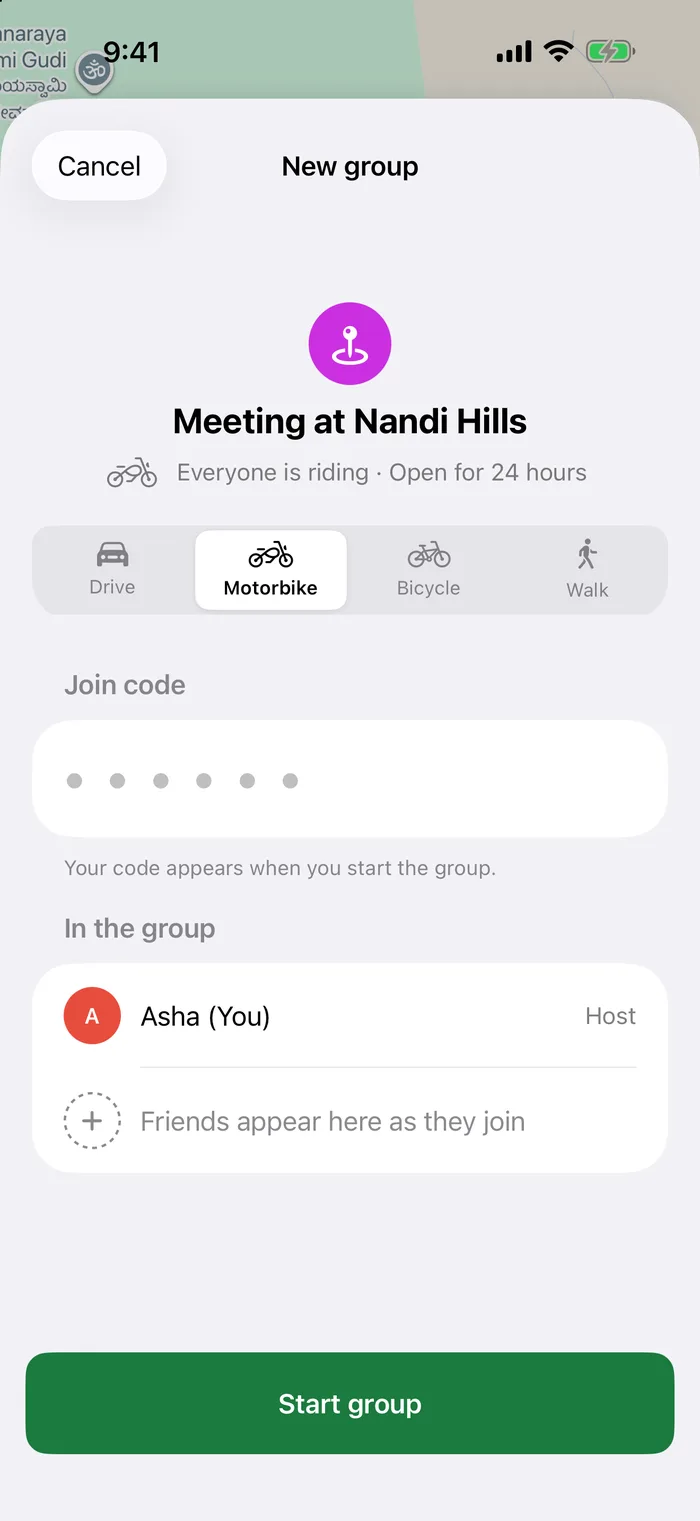
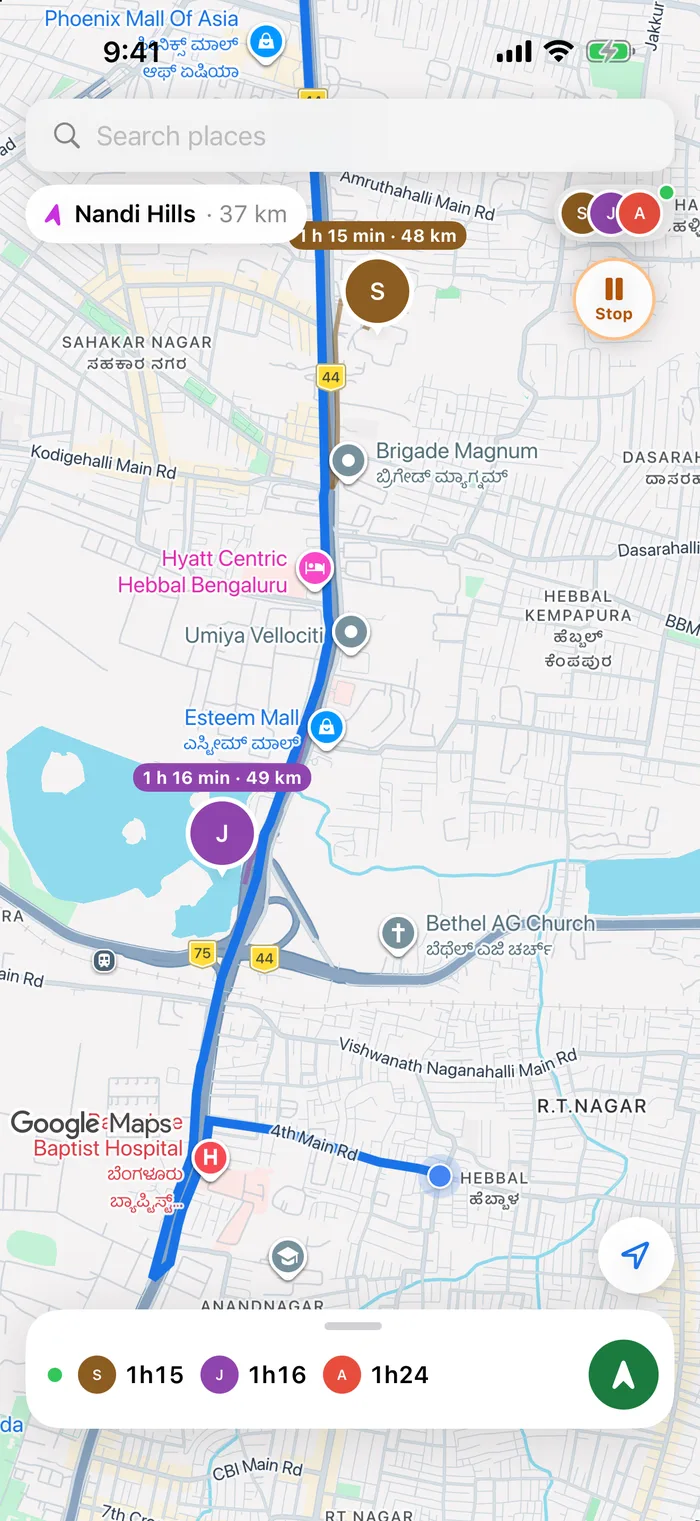
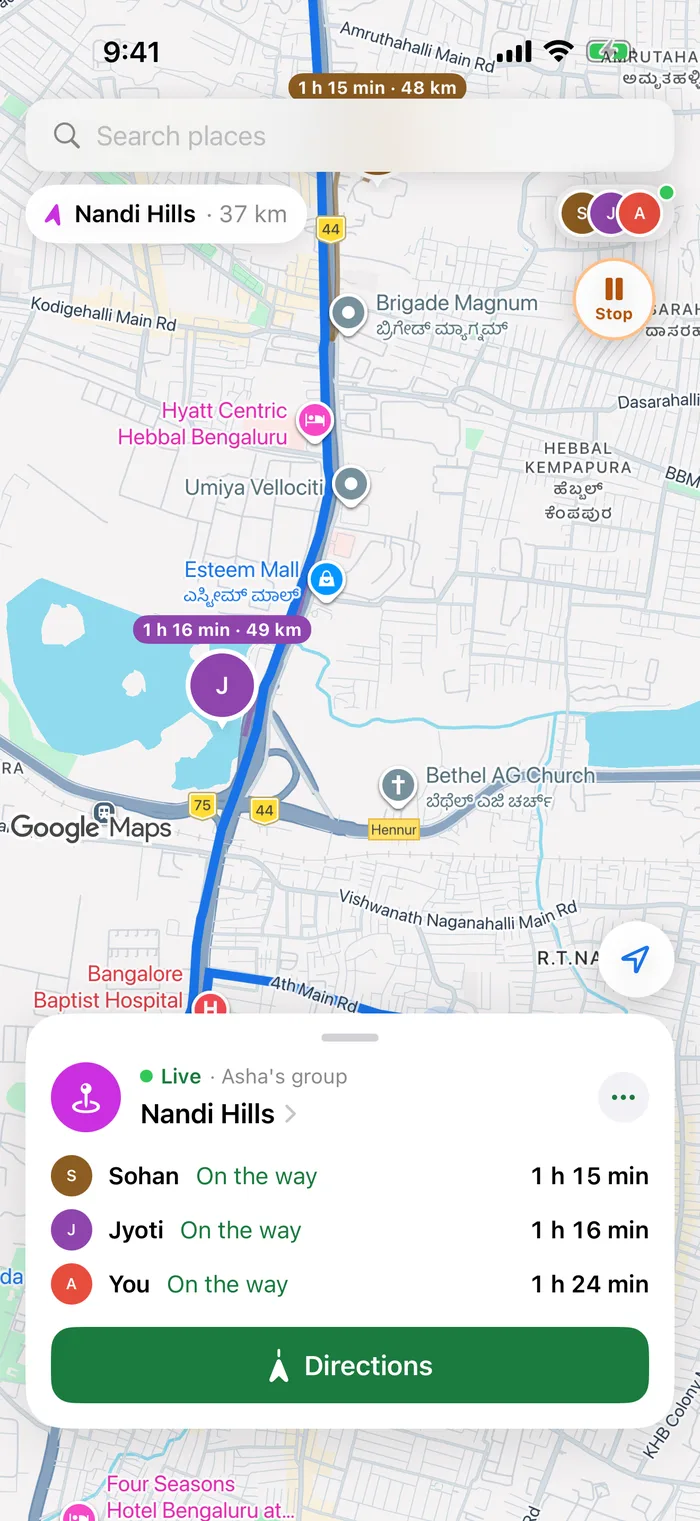
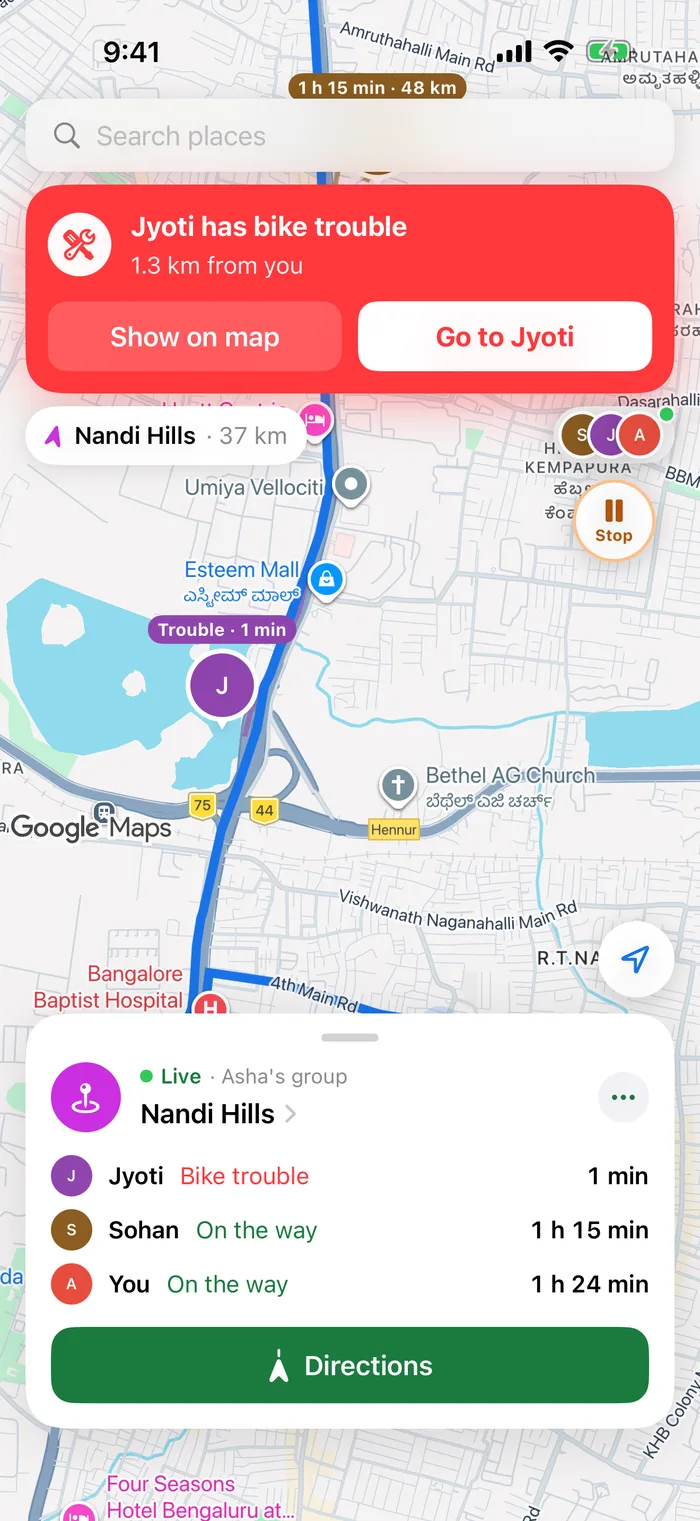
A group riding somewhere far together. Follow a morning motorbike run from Hebbal up to Nandi Hills.
Pick your ride
Motorbike, bicycle, drive or walk, set once for the whole group.

Waypoint is a live group map for meetups and convoys. Pick the place, share a code, and see everyone's route, ETA and status until the last person arrives.


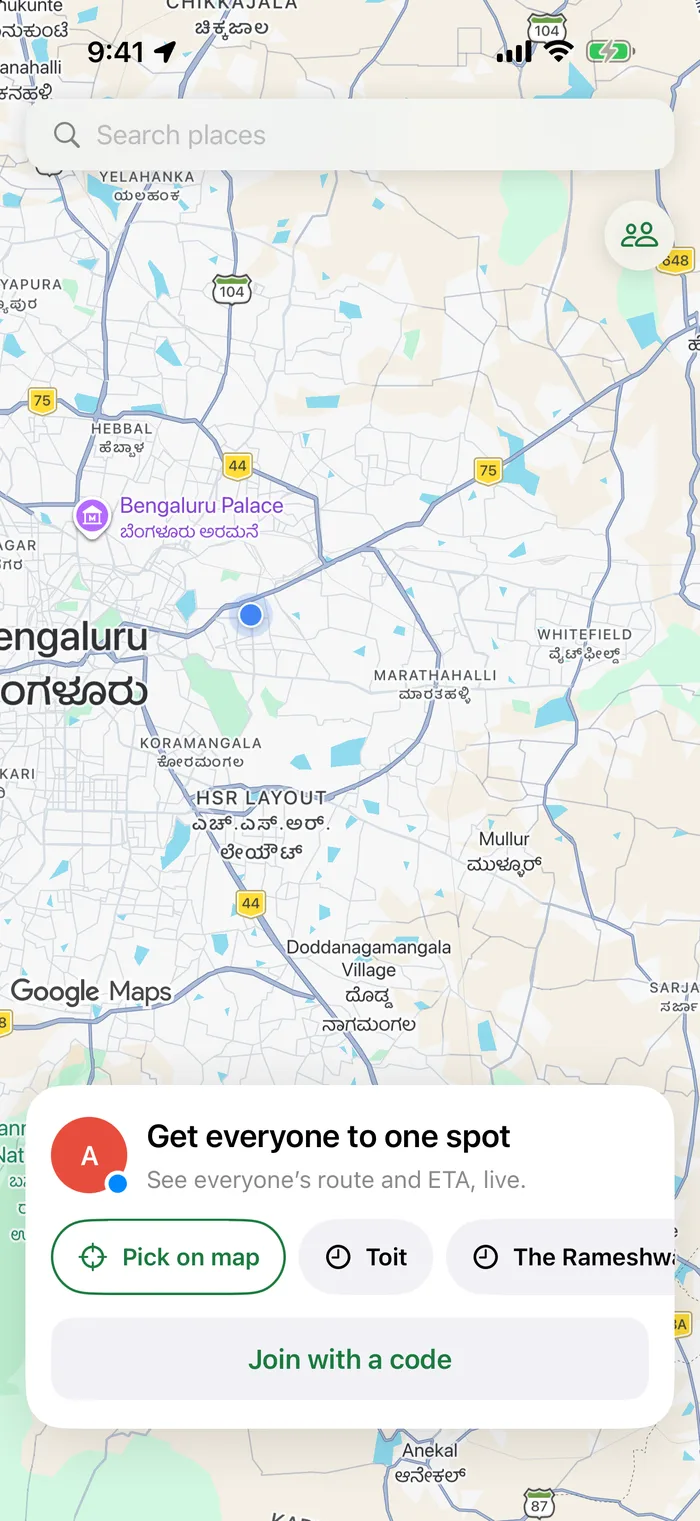
Search, or tap anywhere on the map. Choose how everyone is travelling: drive, motorbike, bicycle or walk.
Send a 6-character code or an invite link. Friends see the plan before they join, and nobody needs an account.
Live pins, routes and ETAs on one map, with status for every person, until the last one is there.
Friends coming from different places to one spot. Follow a Friday dinner at Toit, from picking the place to the last person arriving.
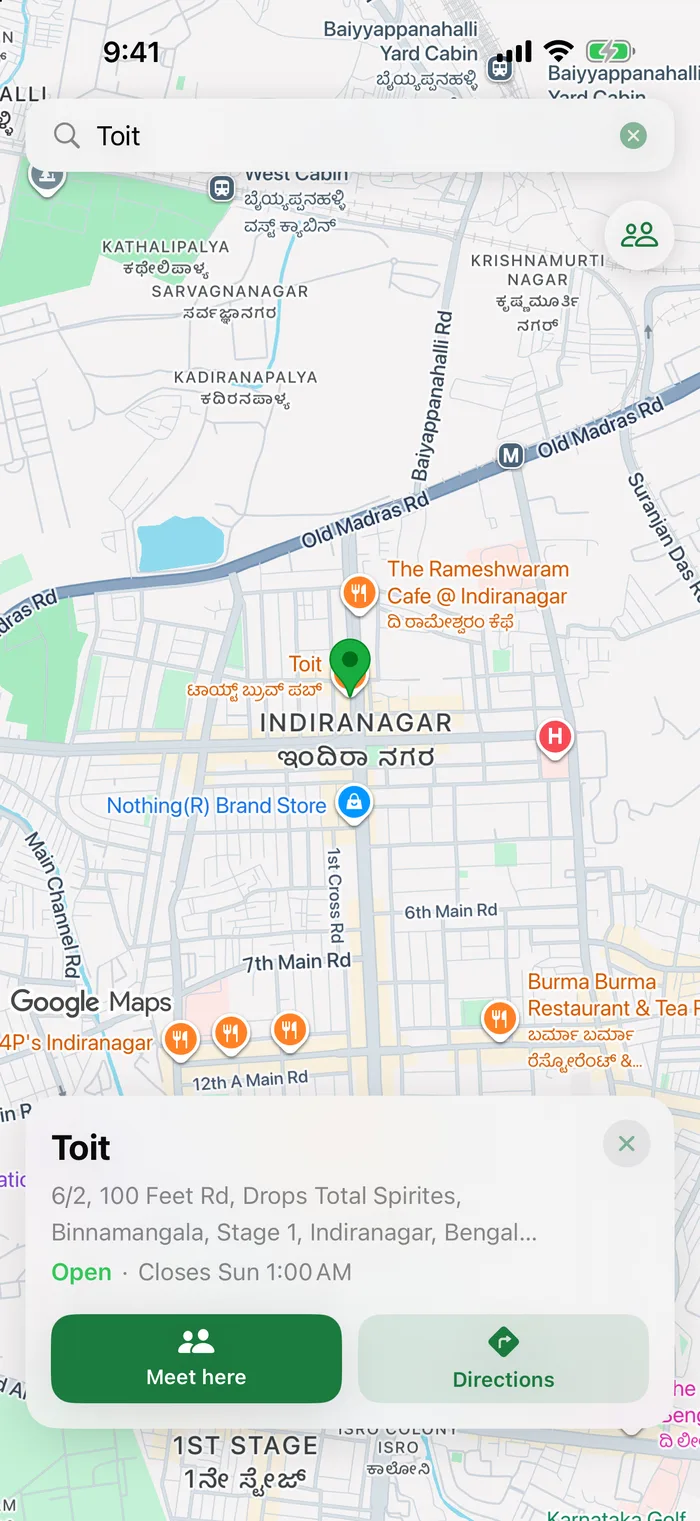
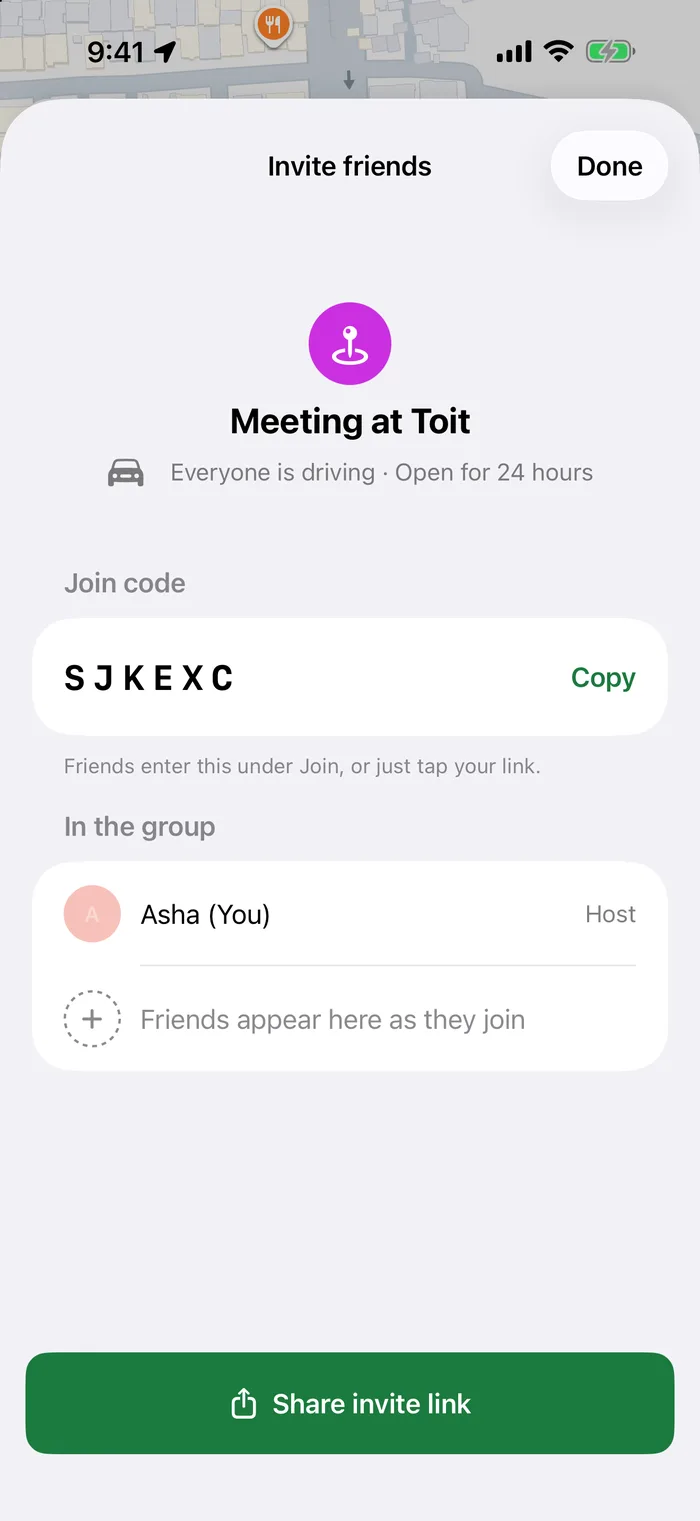
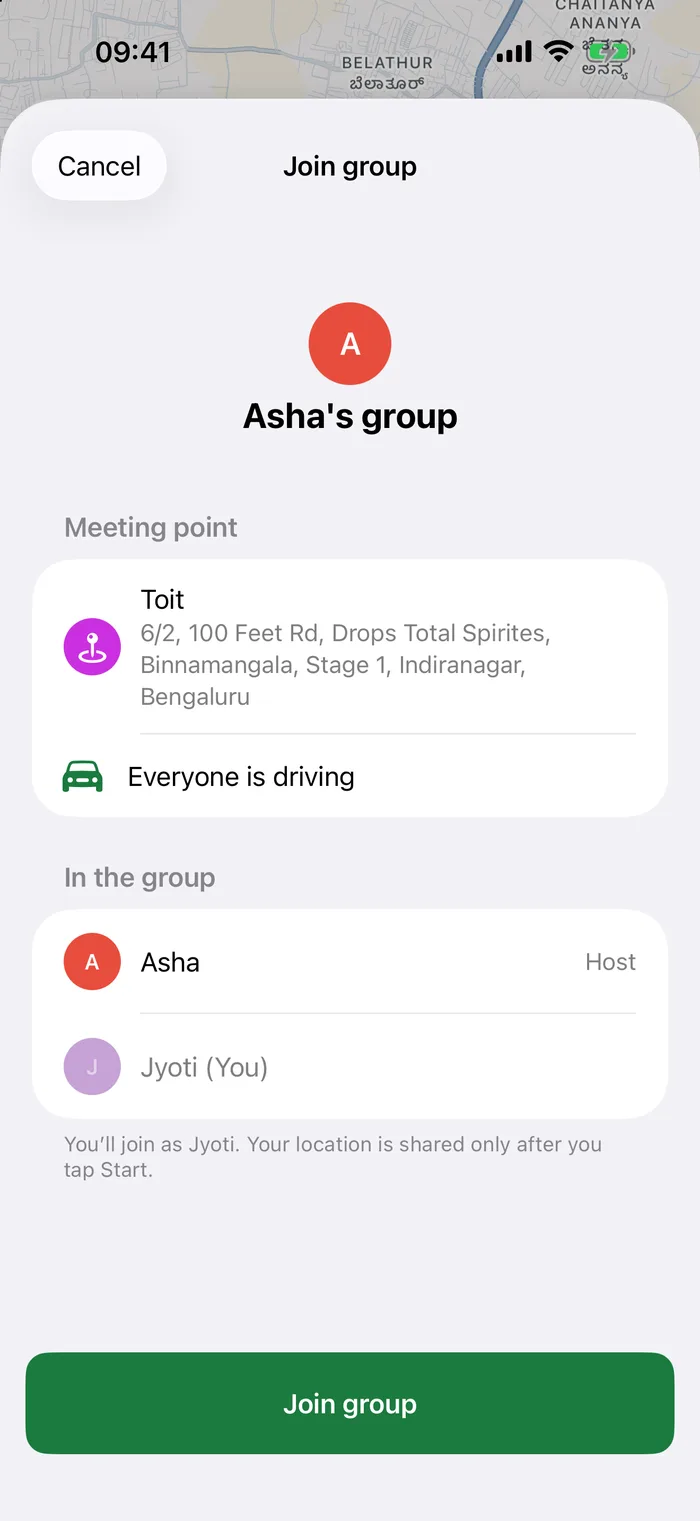
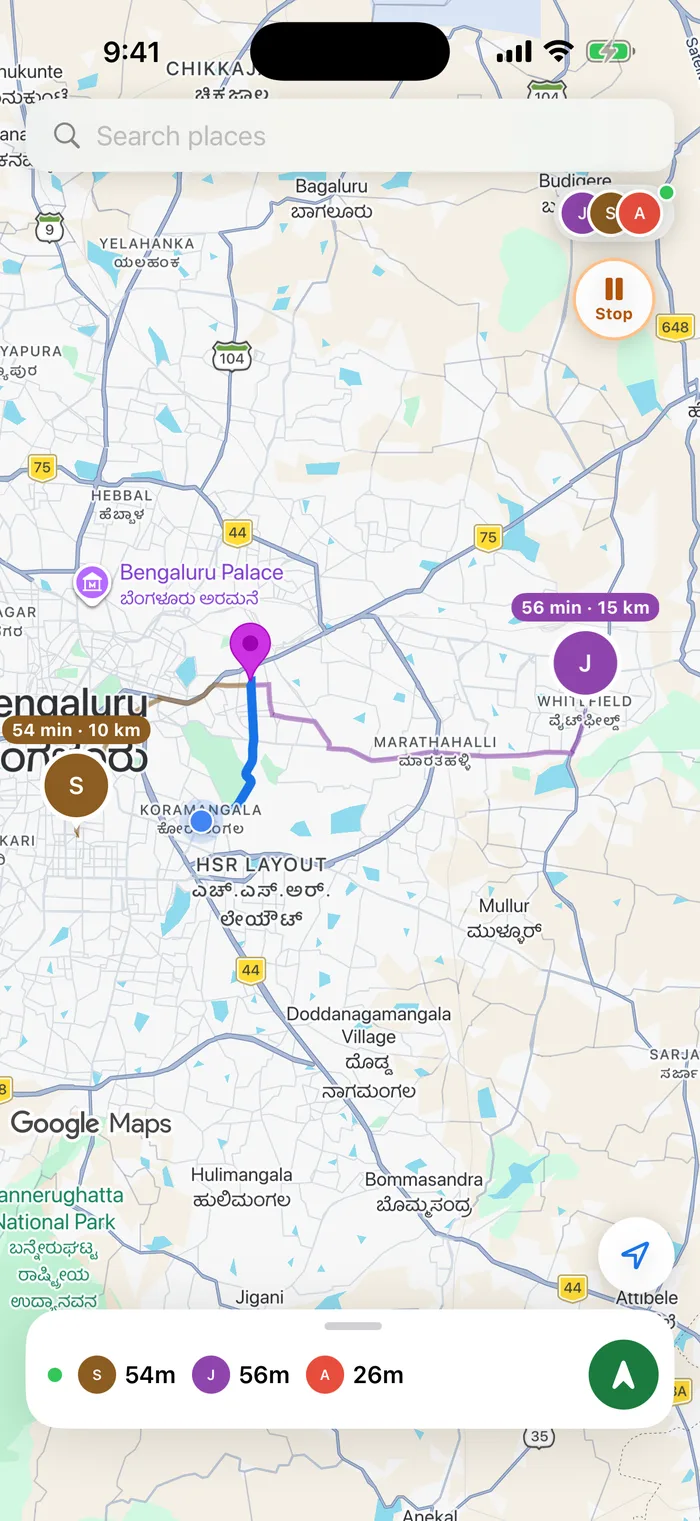
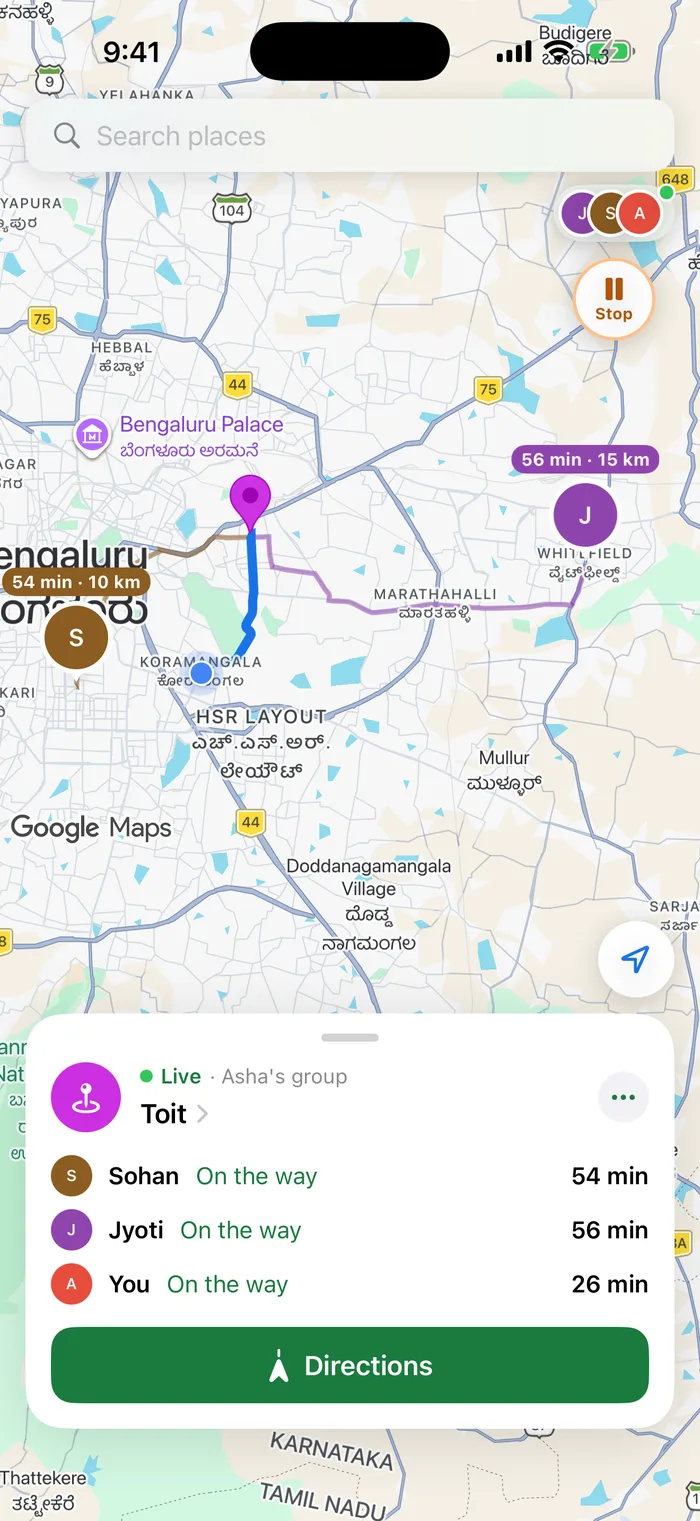
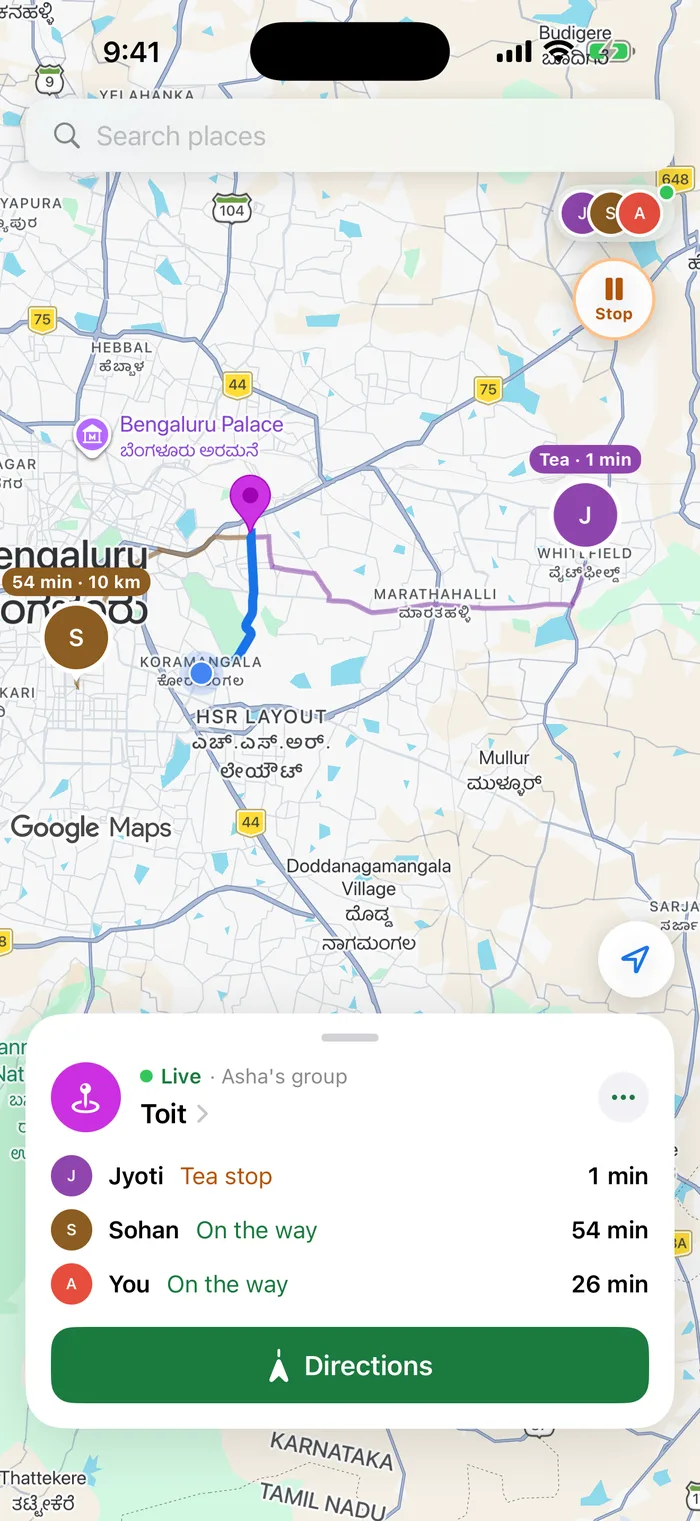
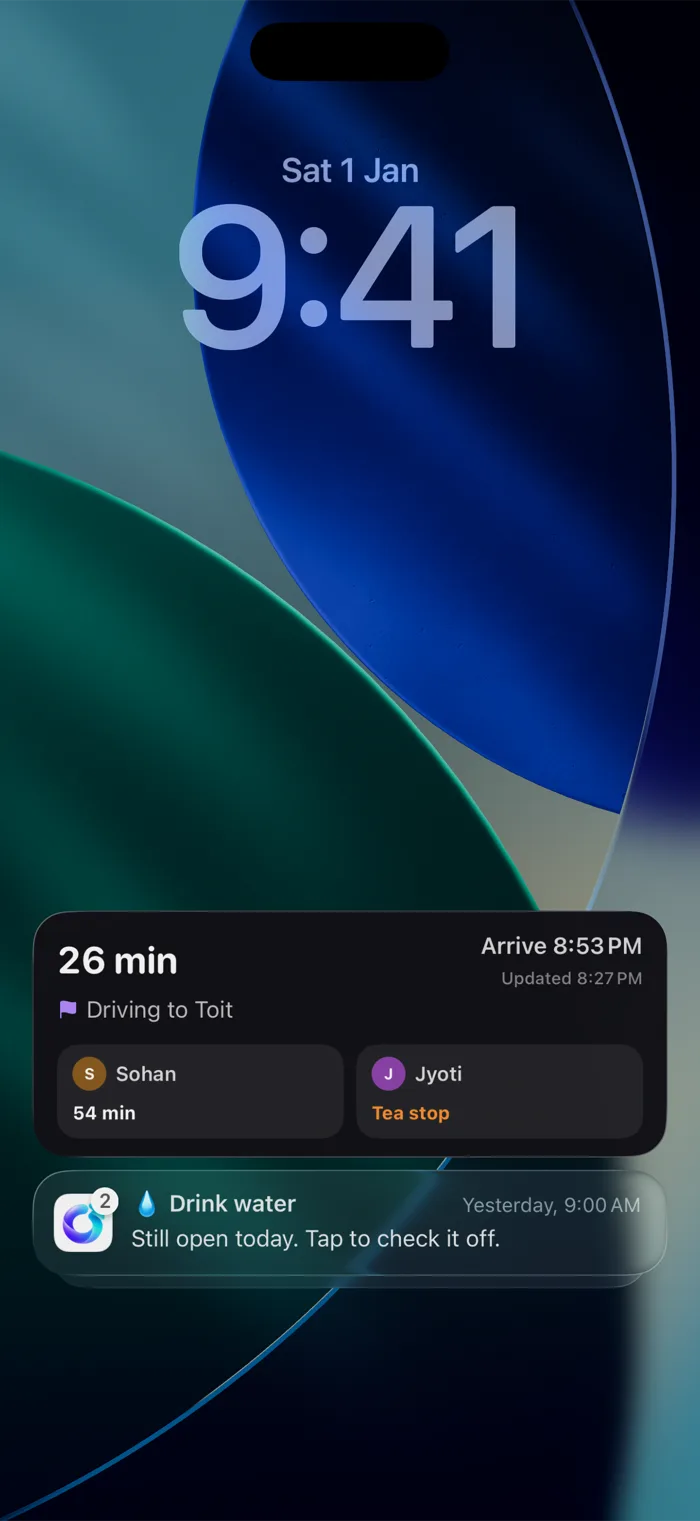
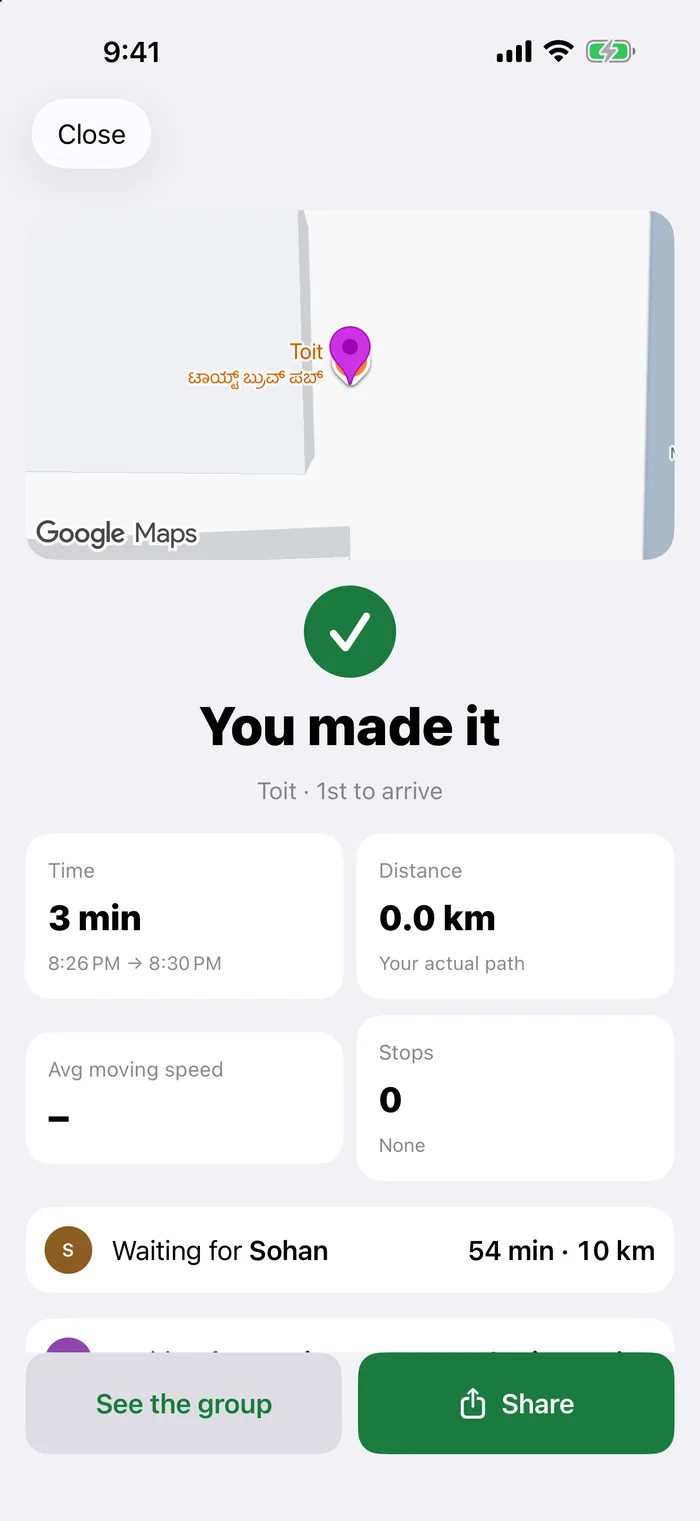
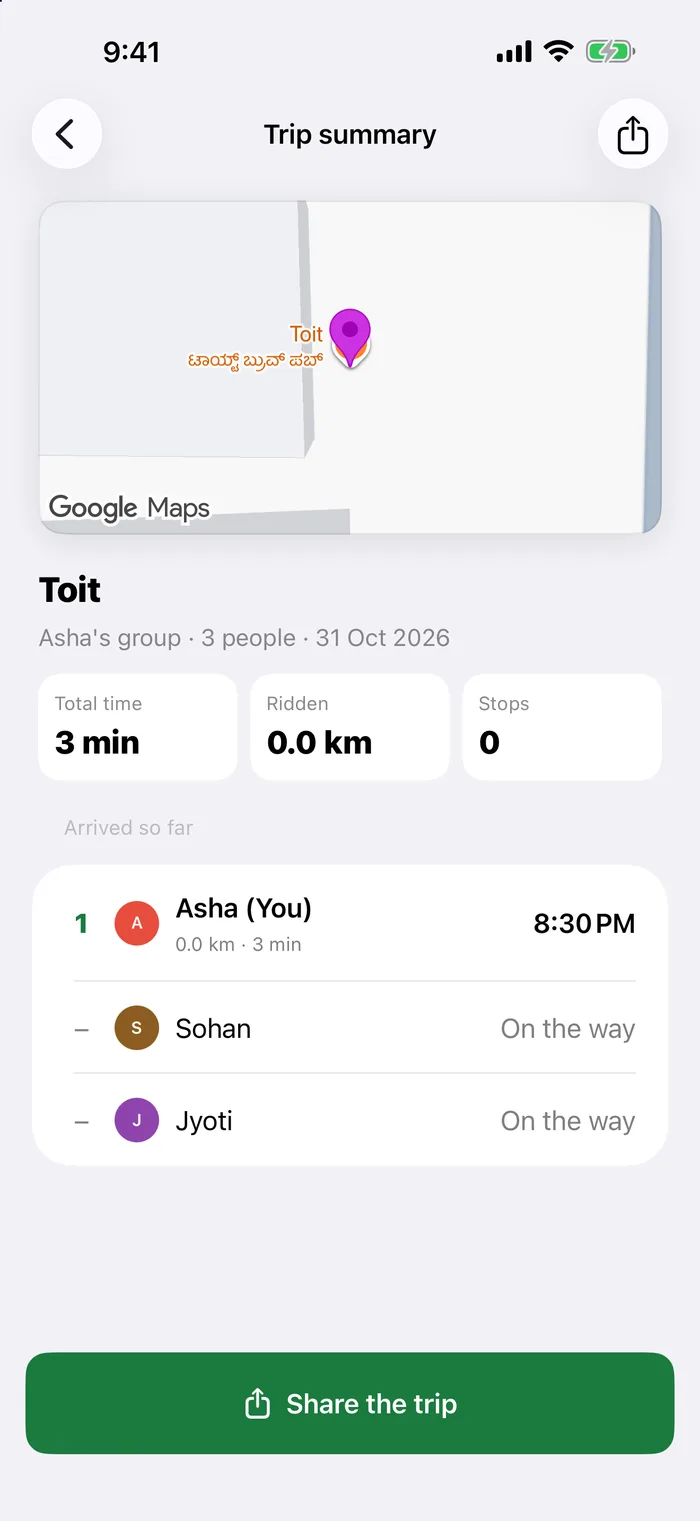
Search or tap the map, check it is open, then tap Meet here.
A group riding somewhere far together. Follow a morning motorbike run from Hebbal up to Nandi Hills.
Motorbike, bicycle, drive or walk, set once for the whole group.
Set a ride for later today or another day. Waypoint reminds you when it is time to head out, and upcoming rides wait on the home screen.
Send a live link to anyone: family, or the person waiting at the other end. It opens in any browser with no app needed, and ends when you arrive.
Ask someone in the group to pick you up on the way. They can say yes or no, and you see when they are coming.
Turn it on and the host approves each person who taps the link. Members can be allowed to let people in when the host is driving.
Add stops on the way. Waypoint places each one where it adds the least distance.
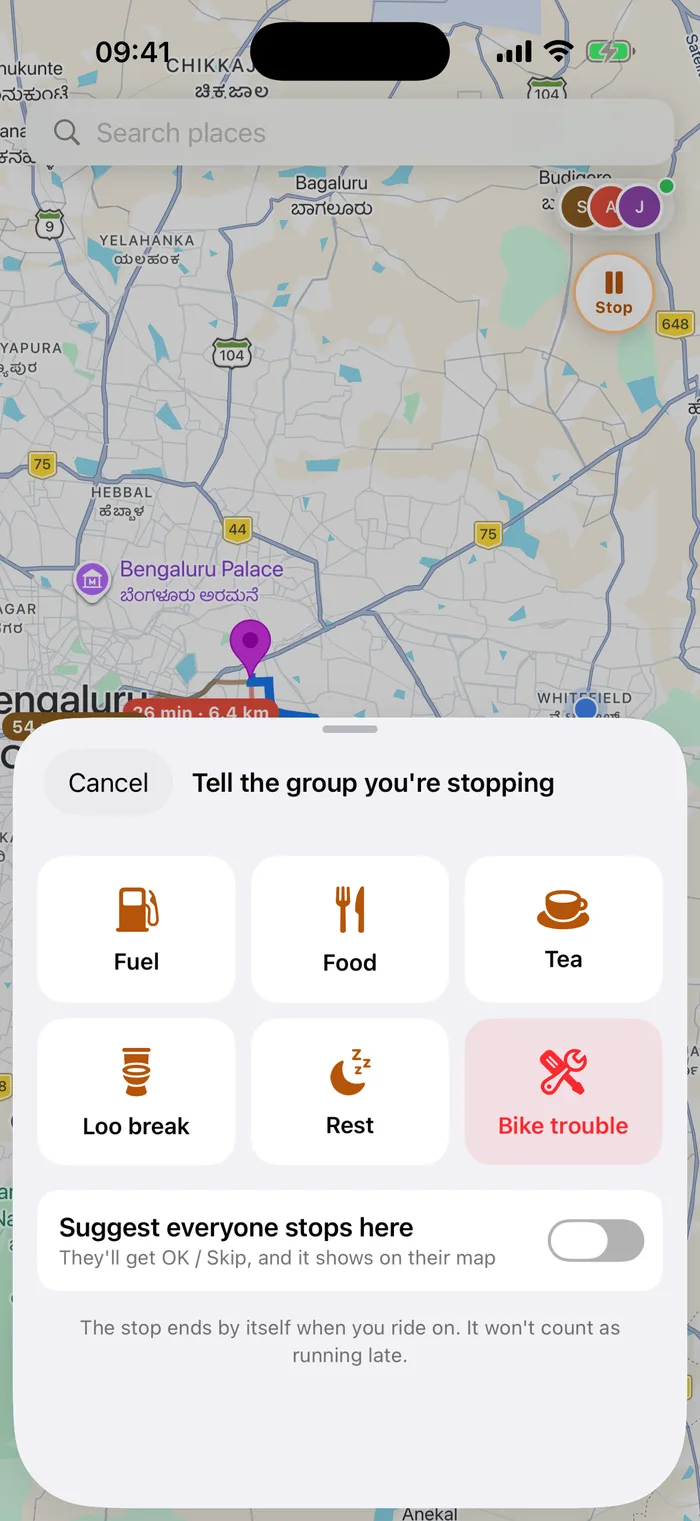
One tap tells everyone you have stopped for fuel, food, tea, a loo break or a rest, so nobody thinks you are lost. It ends by itself when you ride on.
The group gets OK or Skip, and a pin on the map.
A red alert that always reaches everyone, with a button to go to them.
Turn on “Let the group call you” and a call button appears on your row. It is off by default, set per group, and uses your phone's own dialer.
See other routes with their travel times right on the map, and how much traffic is adding to your trip. Tap a route to take it.
Navigation and your group on the car's screen, with CarPlay on iPhone and Android Auto on Android.
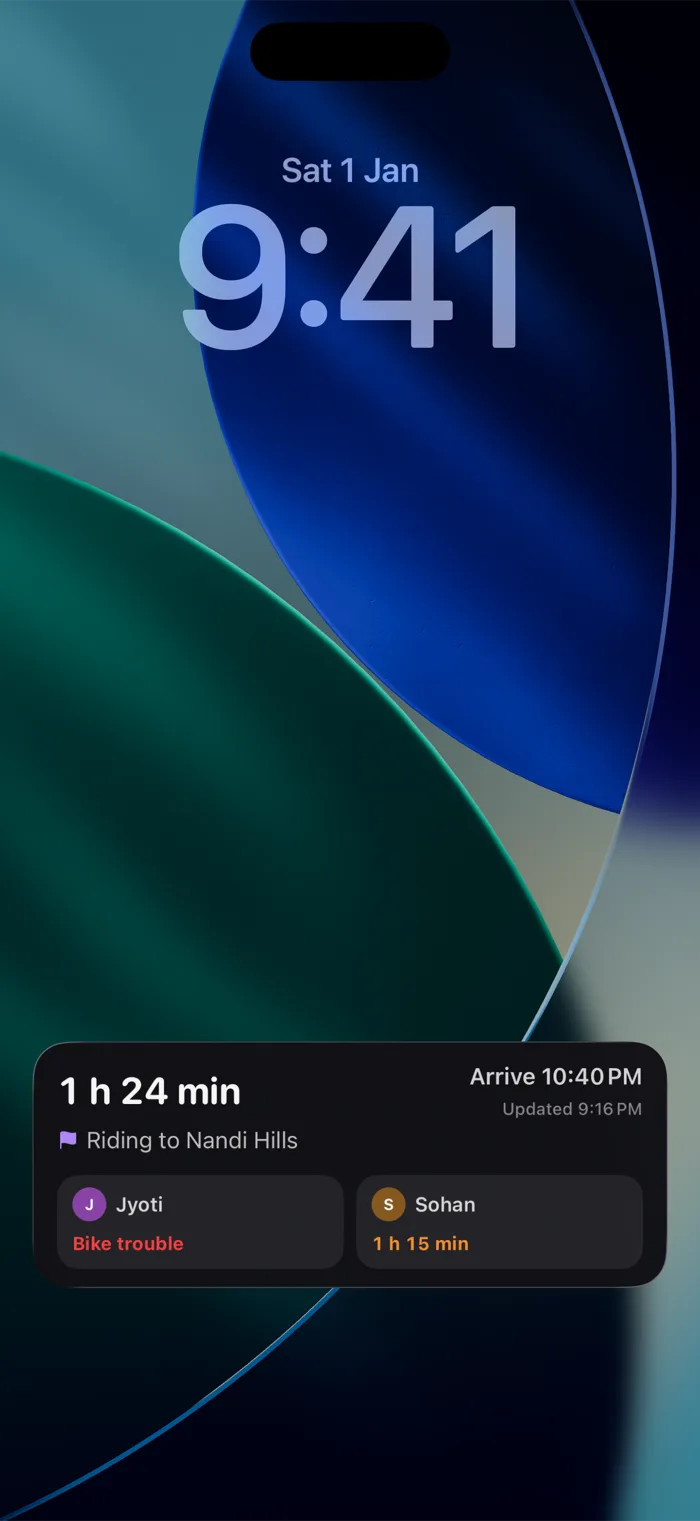
Your ETA, arrival time and the nearest friends on the lock screen and in the Dynamic Island.
Waypoint keeps your place, shows who is out of signal instead of raising false alarms, and catches up when you are back.
Someone joins, starts, is running late, stops updating, arrives or has a low battery. Each person chooses which alerts reach them.
Move the meeting point, ask before people join, let members approve joiners, remove anyone or end the group for everyone.
Pause sharing for 15 minutes. The group sees Paused instead of a false Not updating.
How often your phone works follows the trip, and battery saver switches on with Low Power Mode or a low battery.
If the app closes or you reinstall it, Waypoint puts you straight back in your group.
Make someone co-host so the group carries on if the host's phone dies. The host can hand over, and if they go quiet, someone can take over.
Enough for a dinner, a ride-out or a family road trip, with a place for every pin.
Your location is shared only after you tap Start, only with your group, and only while you are in it. Screens shown use sample people and places in Bengaluru.
Your time, distance, average speed, stops and where you finished in the arrival order.
Everyone's paths on one map, arrivals in order, who was fastest and who waited longest.
A ready-made image for the group chat, with the map, just you, or no map at all. Your starting point is never shown.
A live group map for getting people to the same place. The host picks the meeting point and how everyone is travelling, and everyone sees each other's route, ETA and status on one map.
A meetup is people coming from different places to one spot. A convoy is a group travelling together to somewhere far. The group tools are the same; on a long ride the map follows the riders and shows how far the destination is.
No. Joining a group shares nothing. Your location is shared only after you tap Start, only with your group, and you can pause it for 15 minutes from the group card.
With a 6-character code or an invite link. They see the host, the meeting point and the travel mode first. The host can also require approval before anyone gets in.
No sign-up. You enter a name your group will see, and that is it.
Drive, motorbike, bicycle and walk. Motorbike routing is used where Google supports two-wheelers, including India and parts of South and Southeast Asia.
Up to 10 people in one group.
Yes. Share my trip sends a live link that opens in any browser, with no app needed. It ends when you arrive.
Yes. Set a ride for later today or another day. Waypoint reminds you when it is time to head out, and upcoming rides wait on the home screen.
Yes. Ask someone in your group to pick you up on the way. They can say yes or no, and you see when they are coming.
Yes. CarPlay on iPhone and Android Auto on Android both put navigation and your group on the car's screen.
Waypoint keeps your place, shows who is out of signal instead of raising false alarms, and catches up when you are back.
Waypoint is available now on the App Store for iPhone and on Google Play for Android. It needs iOS 17 or later, or Android 8.0 or later.
Feedback, ideas, partnerships or the feature you want next. We would love to hear from you.
or email us directly
contact@saaramlabs.com